- PDF or CSV in one click
- Save reports for recurring use
- Full data ownership
Time Tracking Report Generator for Professional Freelancers
Stop wasting time on manual data exports. Chronum turns your tracked sessions into clean, audit-ready reports. Generate PDF or CSV summaries with a single click, perfectly formatted for your clients and stakeholders.
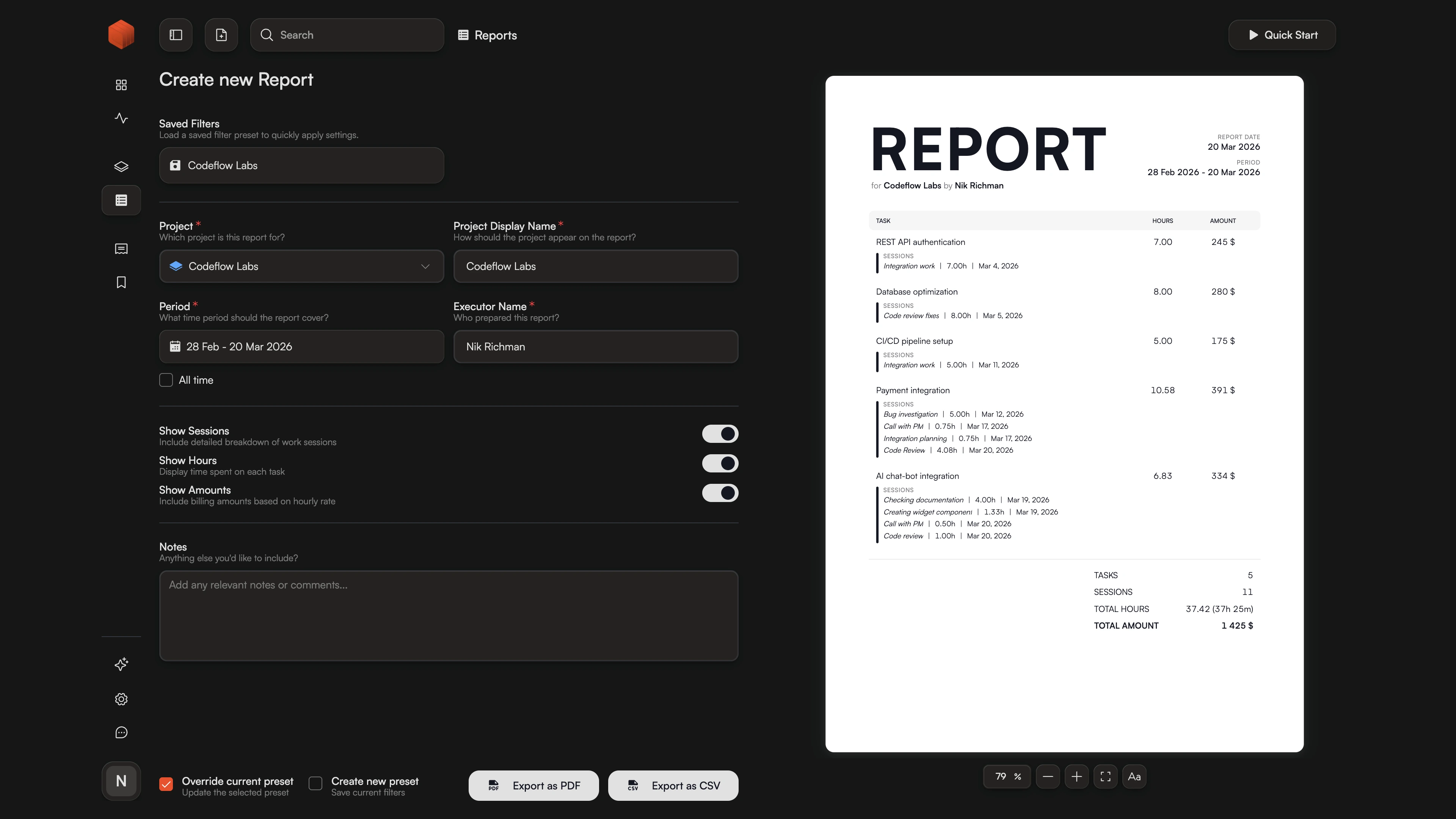
Professional Reports Without the Invoice Pressure
Clients often ask for a progress update or a detailed breakdown of hours long before the billing cycle ends. If your only tool is an invoicing app, you're stuck: you either send a premature bill or spend an hour manually cleaning up a messy spreadsheet.
Chronum's Time Tracking Report Generator solves the transparency gap. It allows you to provide a professional, formatted document that proves your value without triggering a payment request. Whether it's a raw CSV for their project manager or a polished PDF summary for the CEO, you can provide instant accountability while keeping your billing process clean and separate.
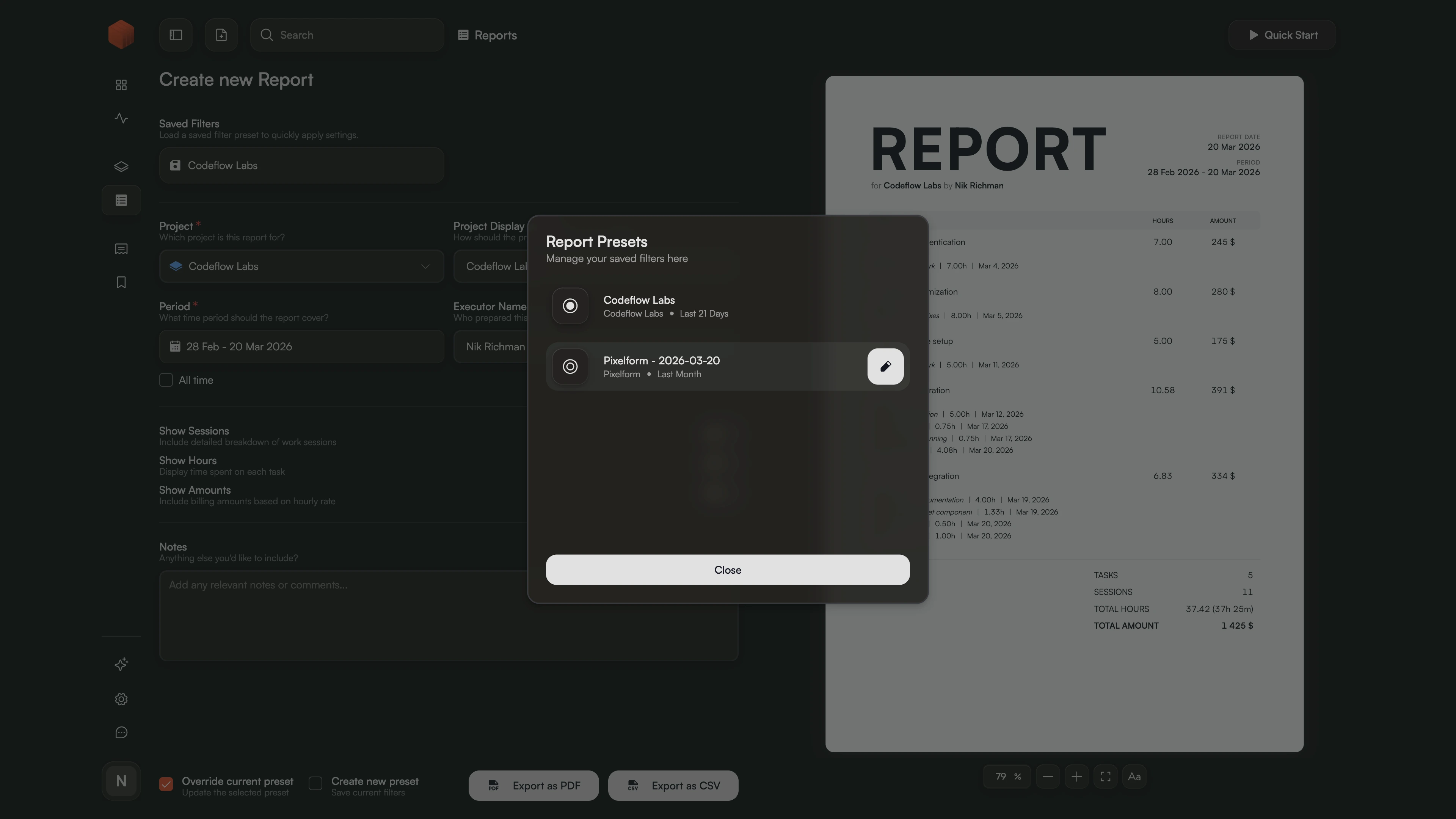
One Click to Reuse Your Best Filters
Don't re-configure the same filters every Monday. Save your setup with the "Save report" option. Chronum remembers your project, period, and visibility settings, allowing you to generate recurring reports in seconds.
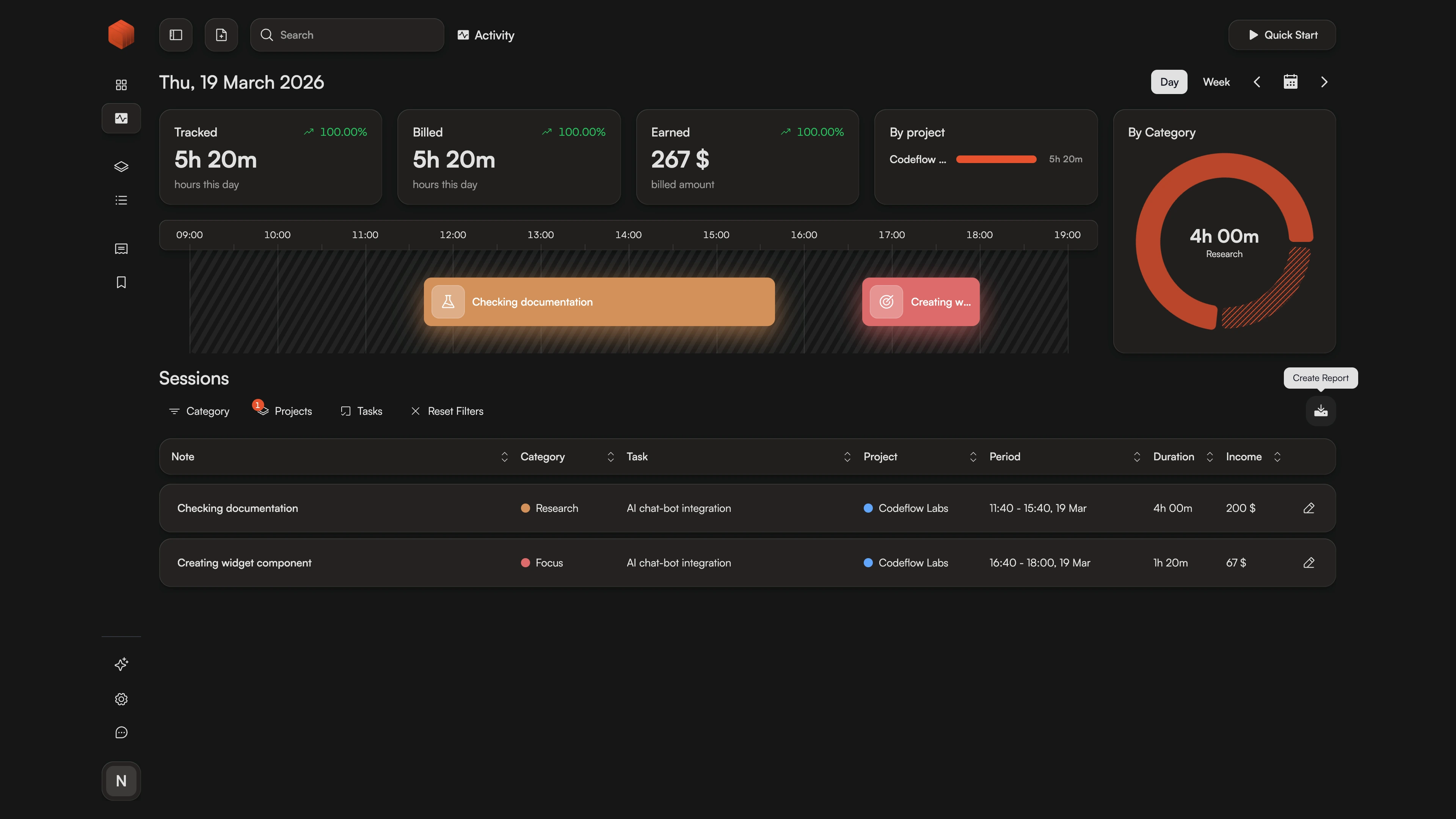
Pre-filled Reports from Any Screen
See a gap on your Activity Timeline? Or reviewing a project page? Hit "Create Report" and Chronum opens the generator with the project and date range already pre-filled. No manual selection required.
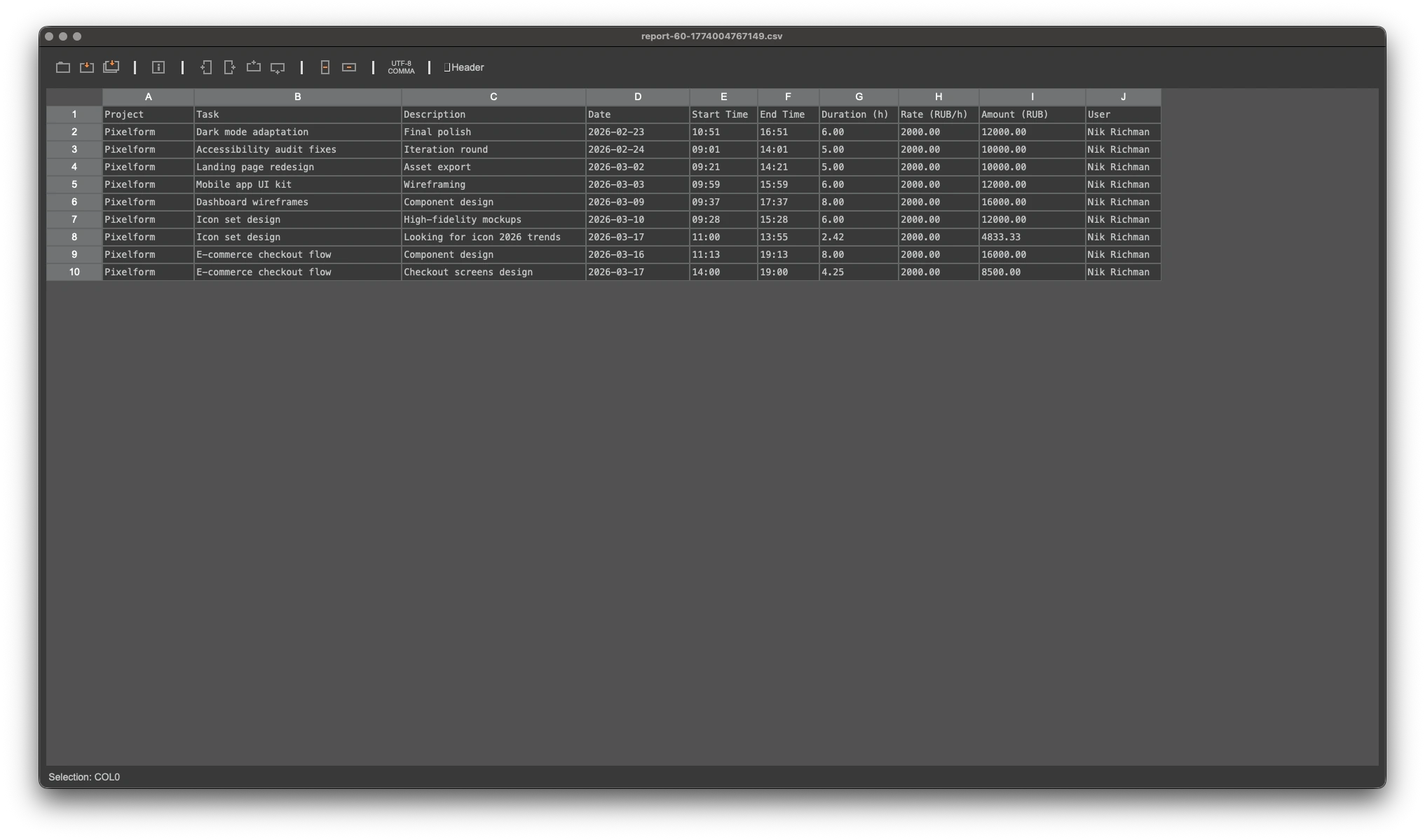
Full Data Ownership with CSV Exports
Need to run your own numbers? Export every billable second into a clean, structured CSV file. It's the perfect format for deep analysis in Excel or Google Sheets, or for importing your tracked sessions into other project management tools.
Frequently Asked Questions
Ready for faster client reporting?
Stop manual entry. Start professional reporting today.
Ready to get paid? If you need to include payment details, tax settings, and professional branding for your client, explore our invoicing features.