- 10 invoices in under 5 minutes
- Zero tab-switching
- One-click PDF export
Batch Invoice Generator Built for Busy Freelancers
Select tasks across all your projects, review in one flow, export every invoice as PDF. What takes hours now takes minutes.
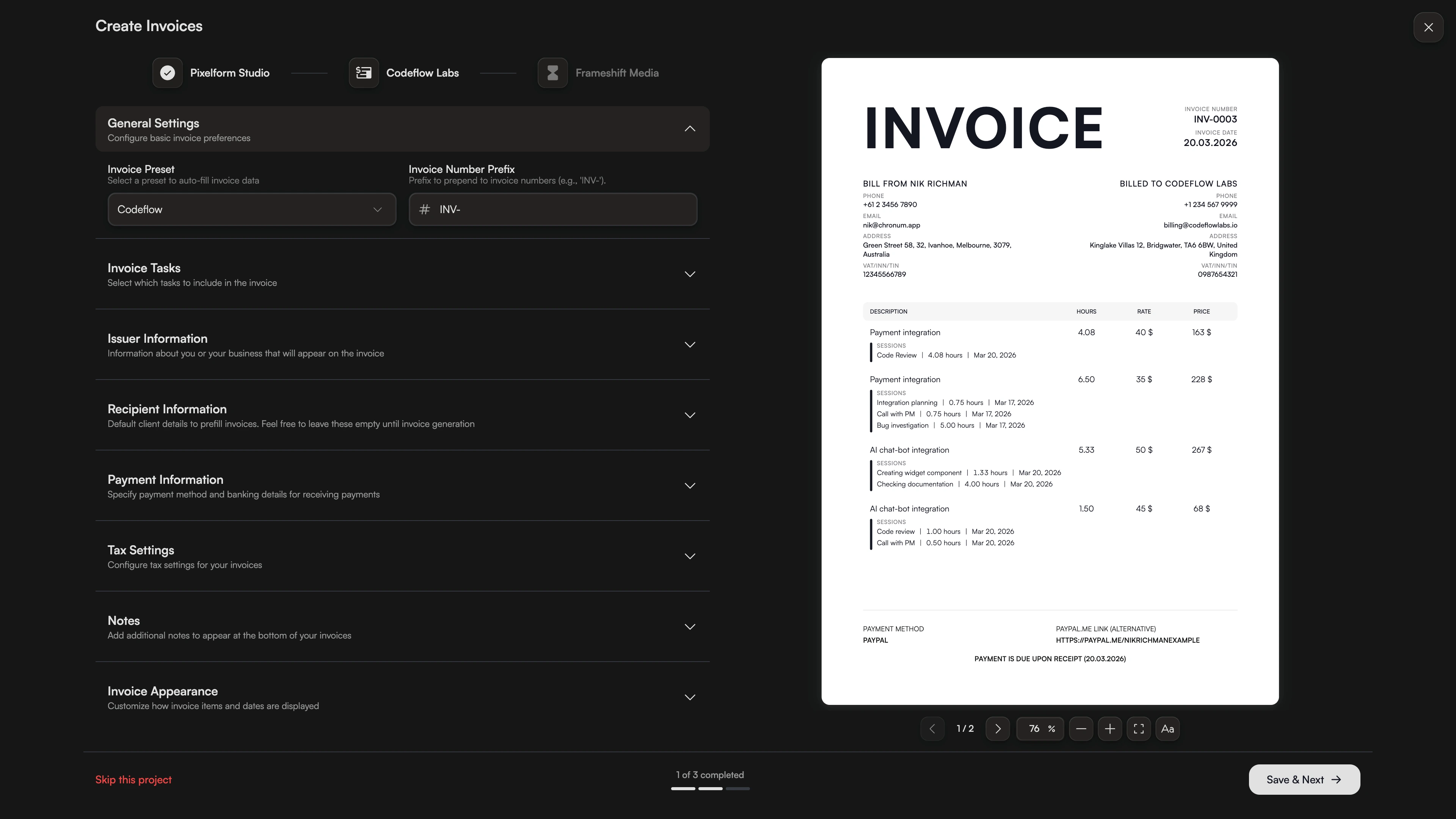
How It Works
- 1.
Select
Pick all completed tasks that need billing for the current period
- 2.
Review
Chronum guides you through each invoice in a single flow with live previews and automated templates.
- 3.
Export
Download the entire batch of professional PDFs, ready to be sent to your clients.
From Hours to Minutes: Why Batch Billing Changes Everything
Most time trackers treat invoicing as an afterthought. For a freelancer with a single client, it's fine. But if you're managing 5, 10, or 20 projects, the "Standard Workflow" is a disaster. You spend your Saturday clicking through tabs, double-checking hourly rates, and manually downloading files. It's slow, it's prone to errors, and it's soul-crushing.
Chronum's Batch Invoice Generator was built by developers who hate routine. We've replaced the "Open-Edit-Save-Export" loop with a high-speed billing factory. By linking your invoice templates to your projects, Chronum prepares everything in advance. You just review, confirm, and export. It's not just a feature; it's your Saturday afternoon back.
Turn Any Task List into an Invoice in Seconds
Stop wrestling with manual groupings. Simply head to your activity list, filter by date, and select exactly which tasks are ready for billing. Use the "Select All" shortcut for a specific range or pick tasks one by one for total control. Once your selection is ready, the "Create Invoice" button instantly moves everything into the high-speed batch queue for final review.
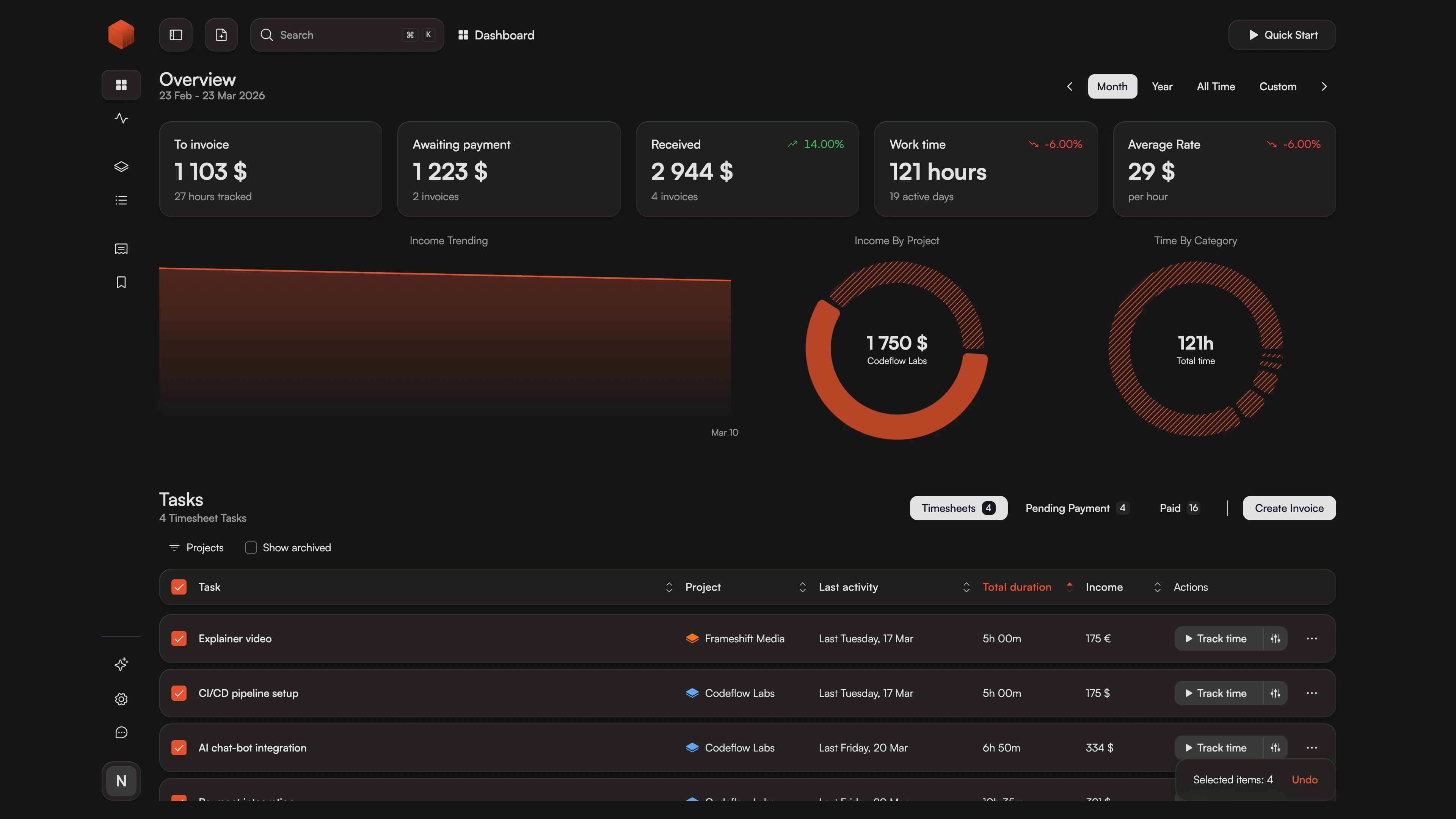
Automated Accuracy by Default
Every project in your batch list uses its own Smart Template. Whether it's a specific tax rate for a local client or a unique currency for a global one, Chronum applies the right rules to the right invoice automatically.
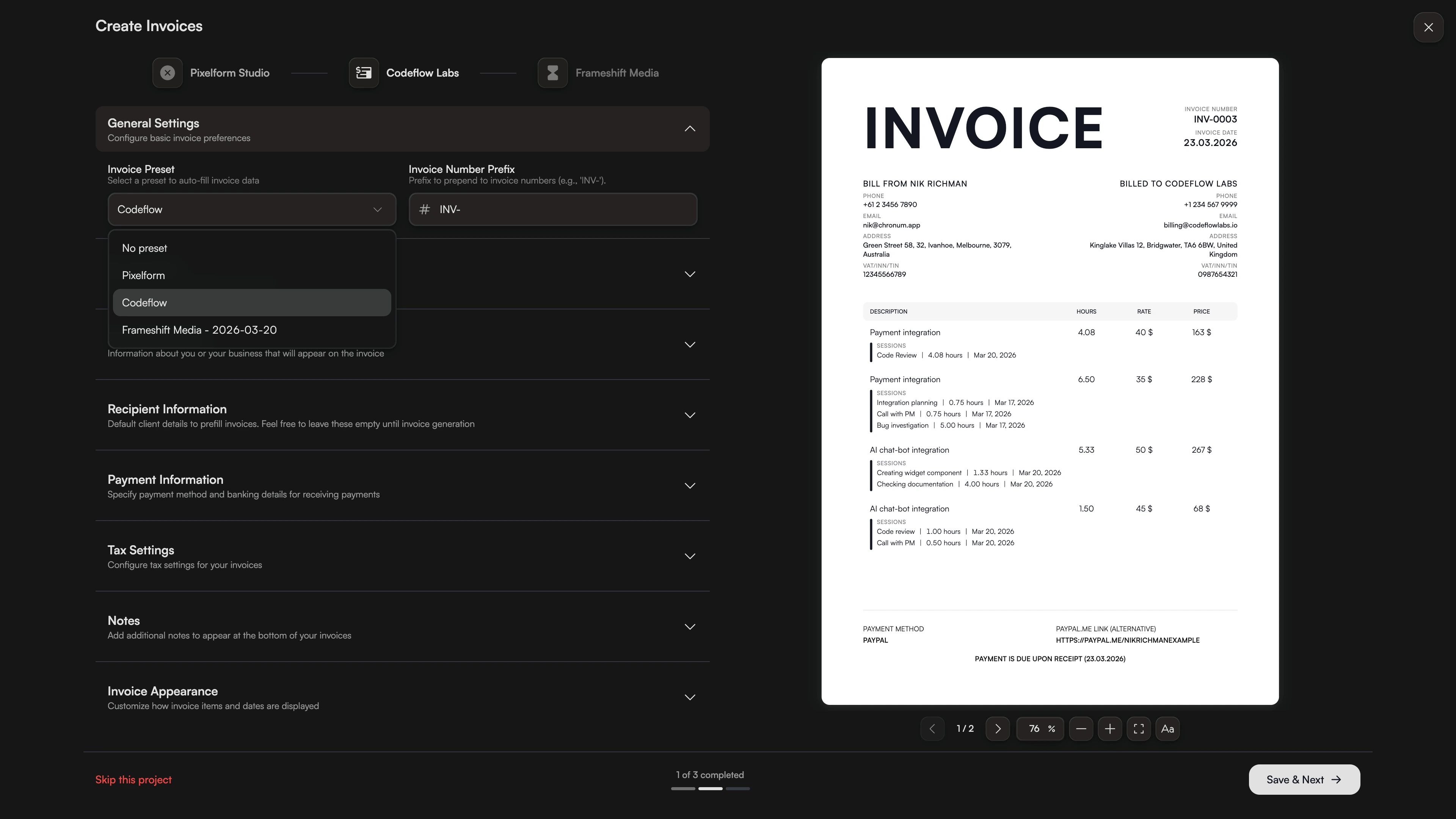
The "No-Tab" Invoicing Experience
Don't jump between windows. Chronum's batch engine uses a "Next Project" logic. Review the live preview, hit Save & Next, and you're instantly on the next invoice. Total focus, zero friction.

Frequently Asked Questions
Ready to automate your end-of-month?
Get the only time tracker with a native batch invoicing engine.
Need to see the data first? Generate Detailed Time Reports in CSV or PDF before you start your batch invoicing.